A window for rooms that don't have one
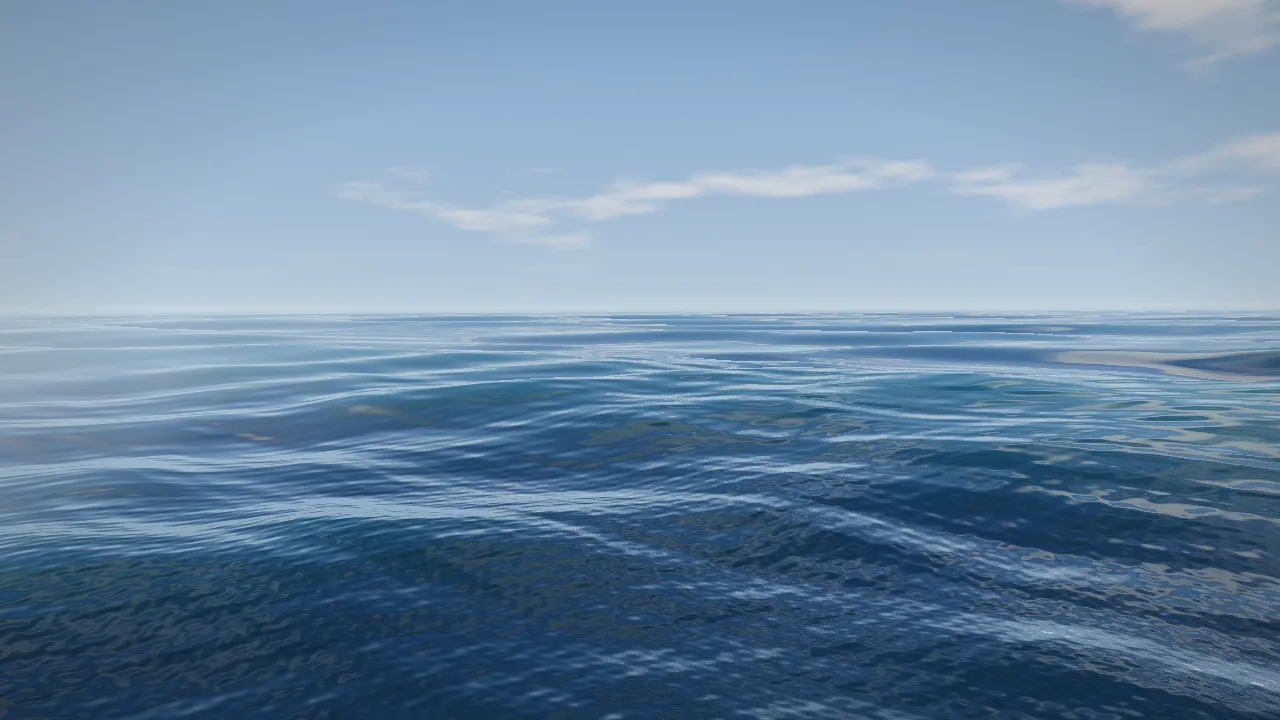
WindowSeed shows the sea or the sky as it is outside right now. The sun is where the sun really is, the moon is tonight's moon, and the clouds, wind and rain are your local weather. It's drawn live, so it never repeats.

Showing the sky over Portland, Oregon.



How it works
The real sky
Set the address and the direction the window faces. The sun rises on the correct side, sets where it really sets, and the moon shows tonight's phase. Stars turn through the night.
The real weather
Cloud cover, wind, mist and rain come from the National Weather Service for that address, every 15 minutes. A grey morning outside is a grey morning on the screen.
It never loops
Nothing is filmed. The sea and sky are drawn live, so there is no clip to recognise and no seam every few minutes.
Fits any screen
Any size or shape, landscape, portrait or on the ceiling. It renders to the exact pixels of the panel instead of stretching a video.
Works offline
If the internet drops, the sun and moon carry on from the clock and the last weather it saw. Nothing to stream.
Gentle at night
The picture dims after dark so a resident's room or a quiet ward isn't lit up by a bright panel.
Where it goes
Memory care and senior living
A window that matches the time of day helps people keep track of morning and evening.
Dental and treatment rooms
A skylight above the chair gives patients something calm to look at.
Interior offices and meeting rooms
Rooms in the middle of a building get daylight colour and weather from outside.
Basements, gyms and hotel rooms
Any room someone spends hours in without a view.
For AV integrators
WindowSeed is software that runs on a small PC behind the screen. You pick the display and the frame, we provide a USB installer that sets the PC up as a kiosk, and the customer pays once per window. There's no subscription and no cloud account. Weather is free from the National Weather Service.
We're lining up the first installs now. If you have a windowless room on a job, we'd like to hear about it.
Get in touch
Email contact@polyology.co with the room, the screen size and where it is, and we'll send a demo you can run on your own screen.